
Breaking an impulsive habit is rarely about having more willpower. When urges strike, executive function is compromised. Lasting recovery requires three practical pillars: clear boundary tracking, immediate trigger identification, and a concrete displacement action. Habit First provides a pre-configured NoFap Recovery routine built specifically around this cognitive framework.
Unlike generic streak apps that simply track days since last relapse, this system treats recovery as daily behavioral awareness. Here is the complete step-by-step walkthrough to set it up.
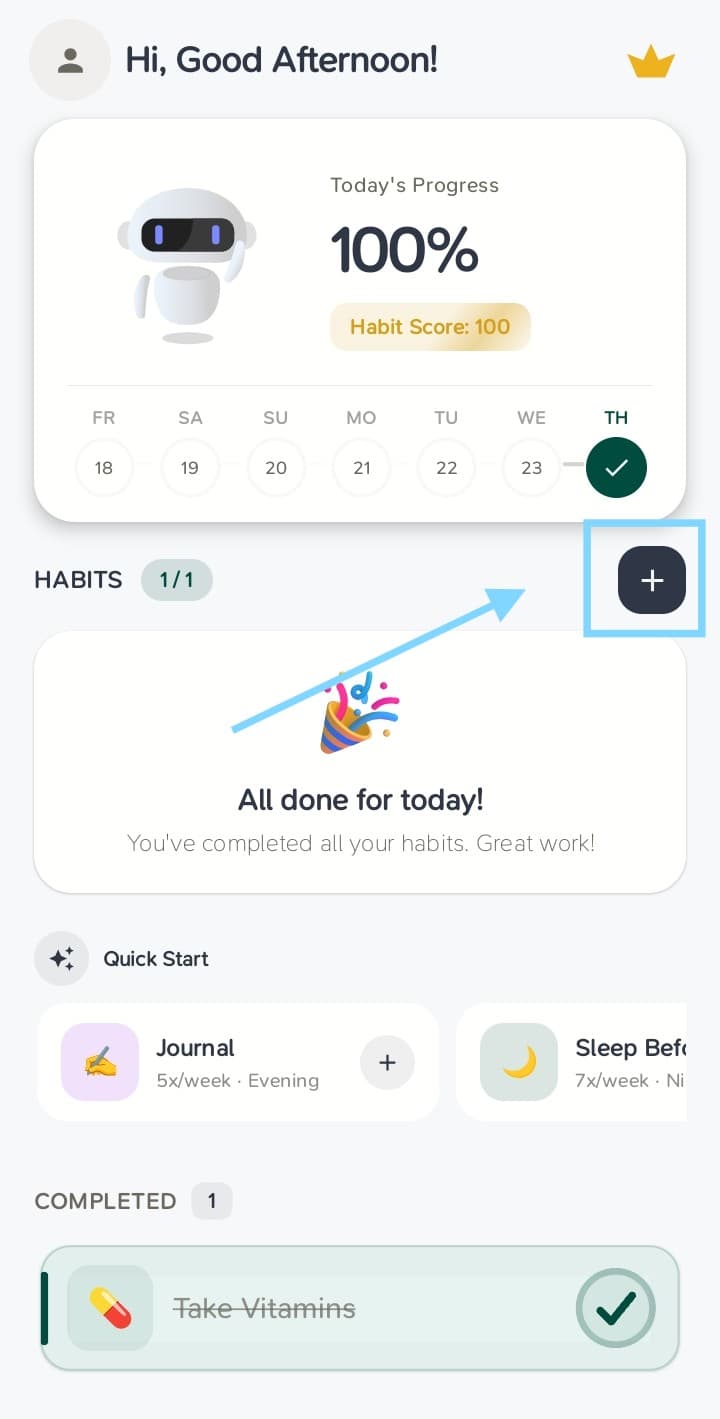
1. Open Habits and tap the Add button
From the main Habits tab, tap the + button located at the top-right beside the section heading.
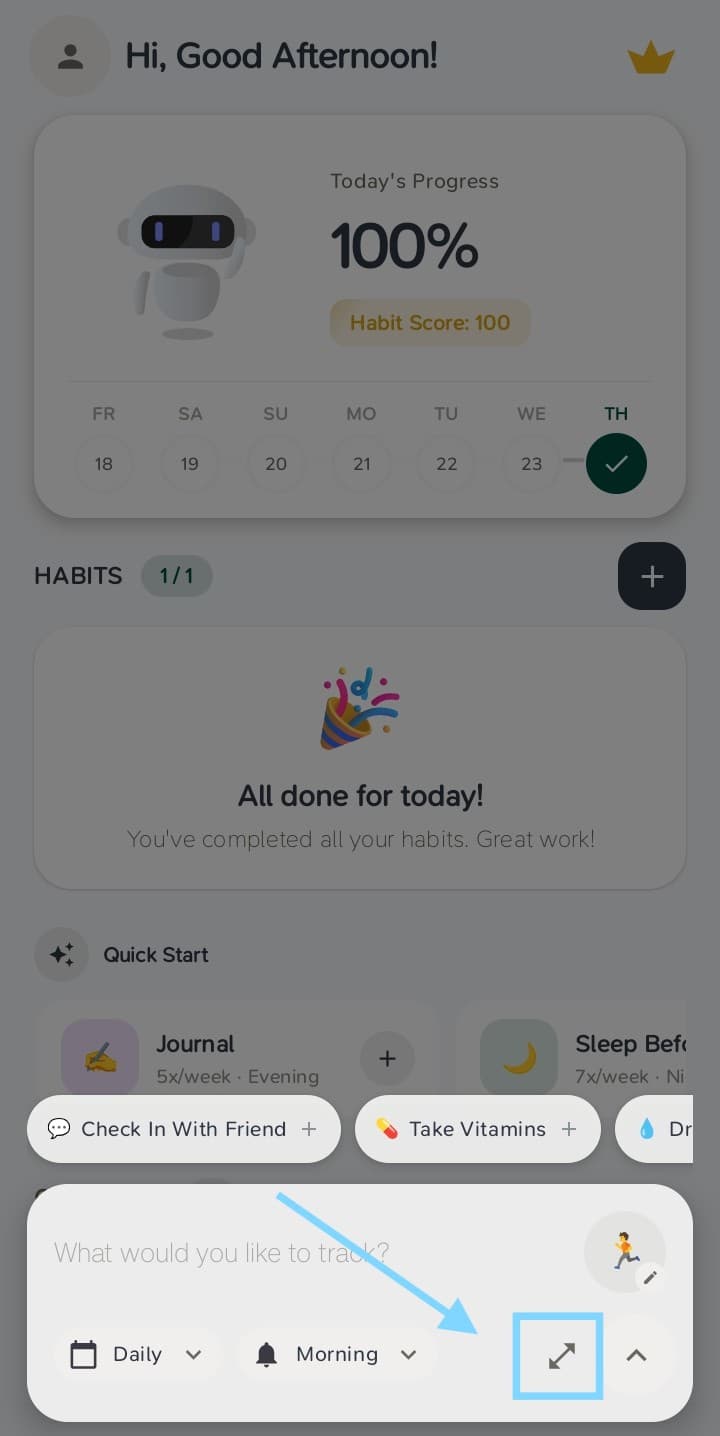
2. Expand to the Full Habit Creator
The quick-entry bar at the bottom allows rapid single-habit creation. To configure multi-habit routines with custom trigger logic, tap the expand icon in the bottom-right corner to open the full creator sheet.
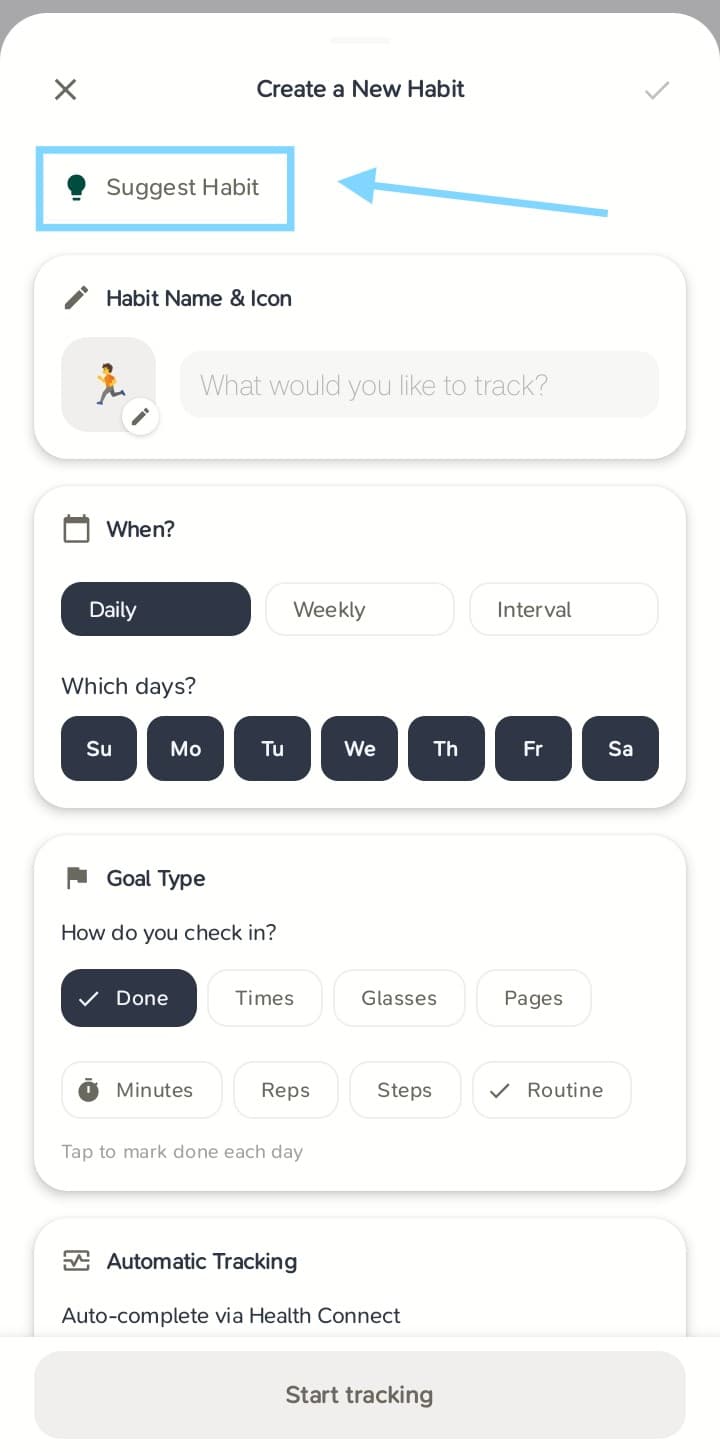
3. Open Suggested Habit Presets
On the Create a New Habit screen, tap the Suggest Habit button. This opens Habit First’s curated library of science-backed templates.
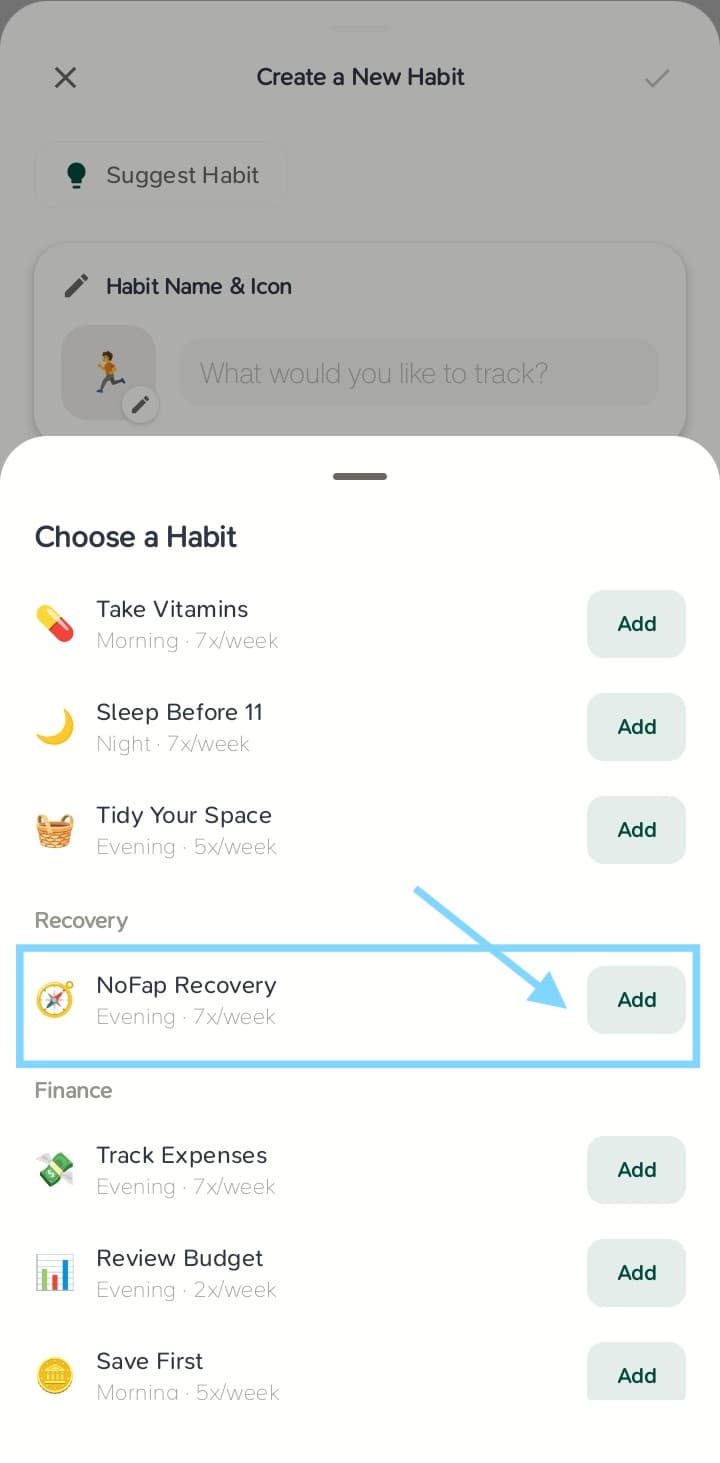
4. Select NoFap Recovery from the Recovery Category
Scroll down to the Recovery section. Locate NoFap Recovery and tapAdd. This template imports a pre-linked cluster of boundary items rather than an isolated counter.
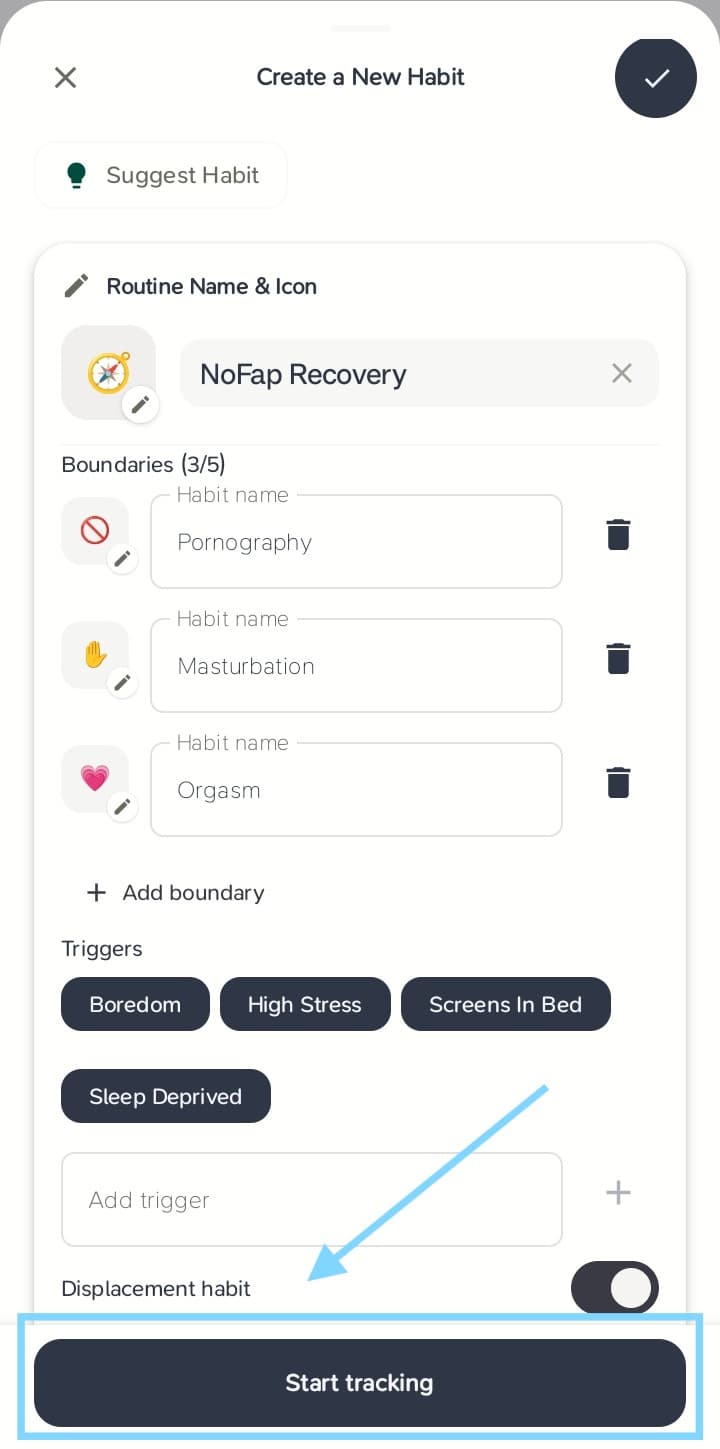
5. Configure Boundaries, Triggers, and Displacement Habits
Habit First auto-populates the routine with three primary behavioral boundaries:
- Pornography: Digital consumption boundary.
- Masturbation: Physical behavior boundary.
- Orgasm: Chaser-effect mitigation boundary.
Below the boundaries, you will find active trigger chips including Boredom, High Stress, Screens In Bed, and Sleep Deprived. You can toggle these or add customized emotional and situational cues.
Crucially, configure your Displacement habit. Rather than creating a cognitive void, your brain needs a healthy neurological substitute when dopamine cravings spike. The default preset assigns 25 Push-ups, but you can swap this for breathwork, cold water, or journaling. For more on this substitution mechanism, read our guide on breaking bad habits without willpower.
6. Save and Start Tracking
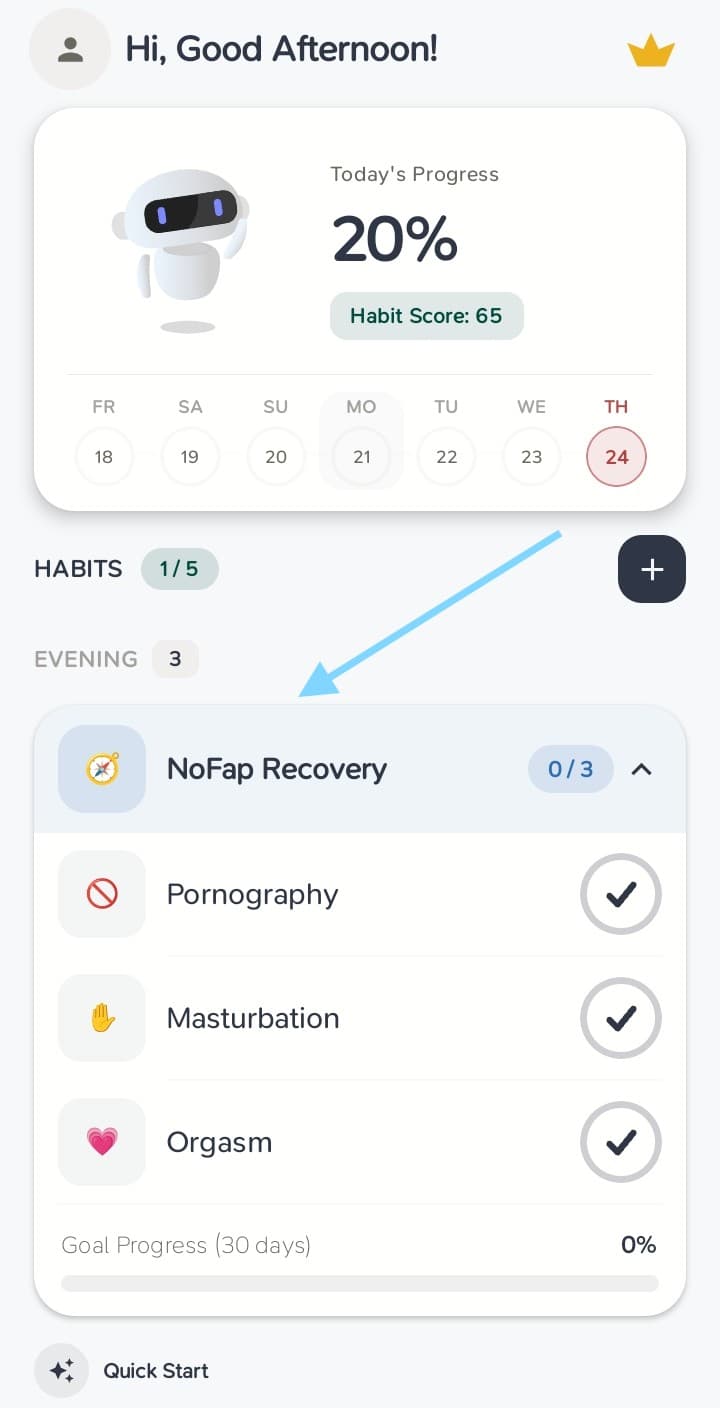
Review your schedule, reminder preferences, and duration, then tap Start tracking. The routine will immediately appear on your Habits home dashboard as an integrated multi-item card.
How to Manage Daily Check-Ins and Slips
Consistency is built through honest daily reflection:
- Daily Victory: Check off each boundary at the end of the day. A full ring indicates zero slip.
- Trigger Logging: When an urge hits, log the contributing trigger immediately in the card. This builds pattern recognition.
- Displacement Action: Complete your displacement habit to substitute the dopamine craving.
- Slip Handling: If a slip occurs, log it without shame. Apply the Never Miss Twice rule and immediately restart tracking the following morning.